For teachers & homeschool families
Small practice.
Bright discoveries.
Turn a few spare minutes into spelling, math or logic practice with Say & Solve Classic and SYNAPSE for Android. Start with one skill, model it together, then let learners take a turn.
Plan a mini activityChoose an app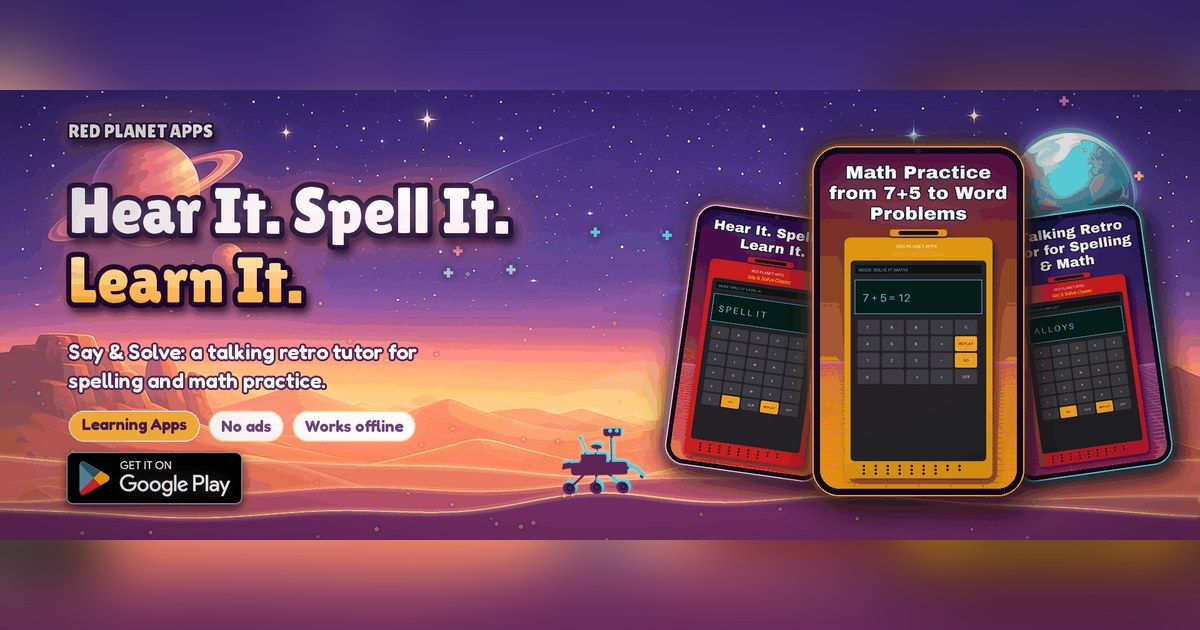
Both apps are rated Everyone on Google Play and listed at US $0.99 each as checked November 7, 2026. Local pricing and availability may vary. These are practice tools, not assessments or substitutes for instruction.
Two apps. Different ways to practice.
Spelling & mathSay & Solve Classic
On Google Play: Say & Solve: Spelling & Math. This is the Classic app, not a third product.
- Hear spoken words and type answers on a retro-style keypad.
- Import your own TXT or CSV spelling lists.
- Practice addition, subtraction, multiplication, division, number puzzles and word problems.
- No ads. Offline practice with progress on the device; optional Google sign-in for backup and sync.
Classic on Google Play ↗Classic privacy policy
Words, voice & logicSay & Solve: SYNAPSE
A futuristic puzzle lab with three dashboards for vocabulary, speech activities and cognitive challenges.
- Word Scramble and daily substitution ciphers.
- Voice Lab pronunciation activities with microphone input and feedback.
- Pattern Pulse spatial memory and Logic Loop circuit puzzles.
- Custom word packs, XP, ranks and streaks; Google sign-in and a global leaderboard are described in the listing.
SYNAPSE on Google Play ↗SYNAPSE privacy policy
Suggested activities, not promised learning outcomes
A classroom rhythm you can adapt
1. Weekly spelling station · Classic
Prepare a TXT or CSV list of the week's words. Model hearing and typing one word, then invite pairs to take turns. Finish by writing a sentence with a practiced word.
2. Explain the math · Classic
Pick a math mode for a short warm-up. Ask learners to explain one answer aloud or on paper. Use their explanations, not an app score, to guide your next lesson.
3. Vocabulary detectives · SYNAPSE
Try a word scramble or substitution cipher together. Ask learners to describe the clue or strategy that helped them, then make a paper puzzle for a partner.
4. Patterns & pronunciation · SYNAPSE
Use Pattern Pulse for a short memory challenge. If school policy permits microphone use, try Voice Lab in a quiet space with adult supervision. Pronunciation scores are practice feedback, not clinical evaluation.
Check before the first classroom session
Privacy review needed before classroom rollout. Both Play Data safety sections currently declare no data collected or shared. The linked privacy policies also describe optional account and cloud progress collection; the SYNAPSE policy describes diagnostics and temporary voice processing. Those disclosures need to be reconciled. Do not treat the Play labels as a school privacy certification or enable student accounts or voice features until your school has reviewed the details.
- Read the linked privacy policies and review account, microphone, leaderboard and sync features against your school's requirements.
- Use school-approved devices and purchasing arrangements. Do not require student sign-in or enable microphone use without the appropriate school and family permissions.
- Classic is advertised as working offline. Test each planned activity on your devices first; do not assume every SYNAPSE feature works offline.
- Do not upload student names or other personal details in spelling or vocabulary lists.
Teacher questions
Which app is Say & Solve Classic?
Say & Solve Classic is listed on Google Play as Say & Solve: Spelling & Math. SYNAPSE is a separate app. Each is listed at US $0.99; local prices and availability may vary.
Do students need a Google account?
Classic supports offline practice and describes Google sign-in for optional backup and sync. SYNAPSE describes Google Sign-In, progress sync and a global leaderboard. Review the app and school policy before enabling accounts or microphone features.
Can schools buy a classroom license here?
This page does not grant a school, bulk or site license. Ask sales@redplanetapps.com about school purchasing and licensing before buying for multiple devices.